
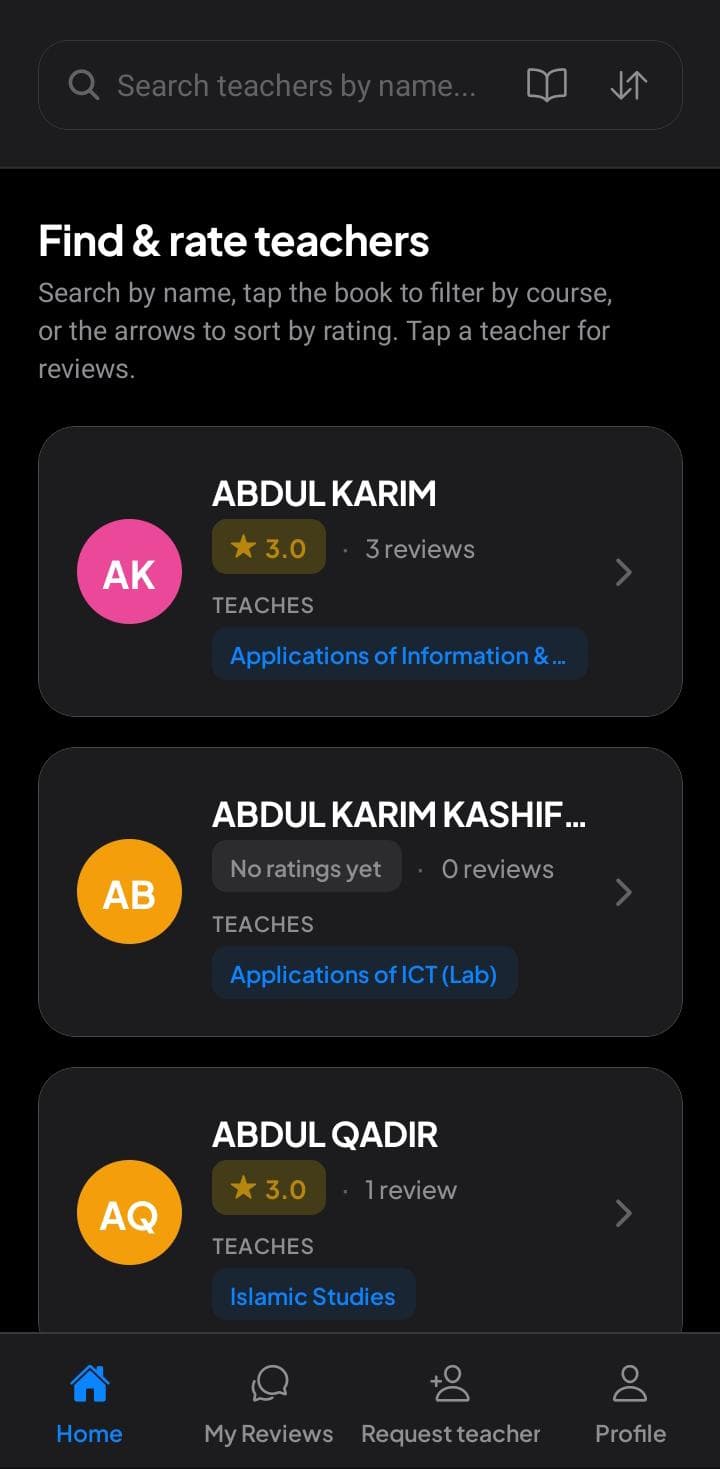
Step 1
Find teachers
Search by name, filter by course, and scan ratings before you pick a seat.
University students
With Kampus Connect, look up professors and courses at your school. Read what other students said so you can pick teachers that fit you. Leave your own reviews to help them do the same. Sign in with your school email. You can hide your name when you post.
By joining, you agree to our Terms of use and Privacy policy.

What it is
Kampus Connect is the student app for your university. You sign in with your school email, look up instructors, see the courses they teach, and read ratings and reviews from classmates who already sat in that seat.
When you are ready, you add structured feedback so the next person picks a better semester. No maze, and no guessing what a star meant six months later in a buried screenshot.
How it looks on your phone
Step 1
Search by name, filter by course, and scan ratings before you pick a seat.
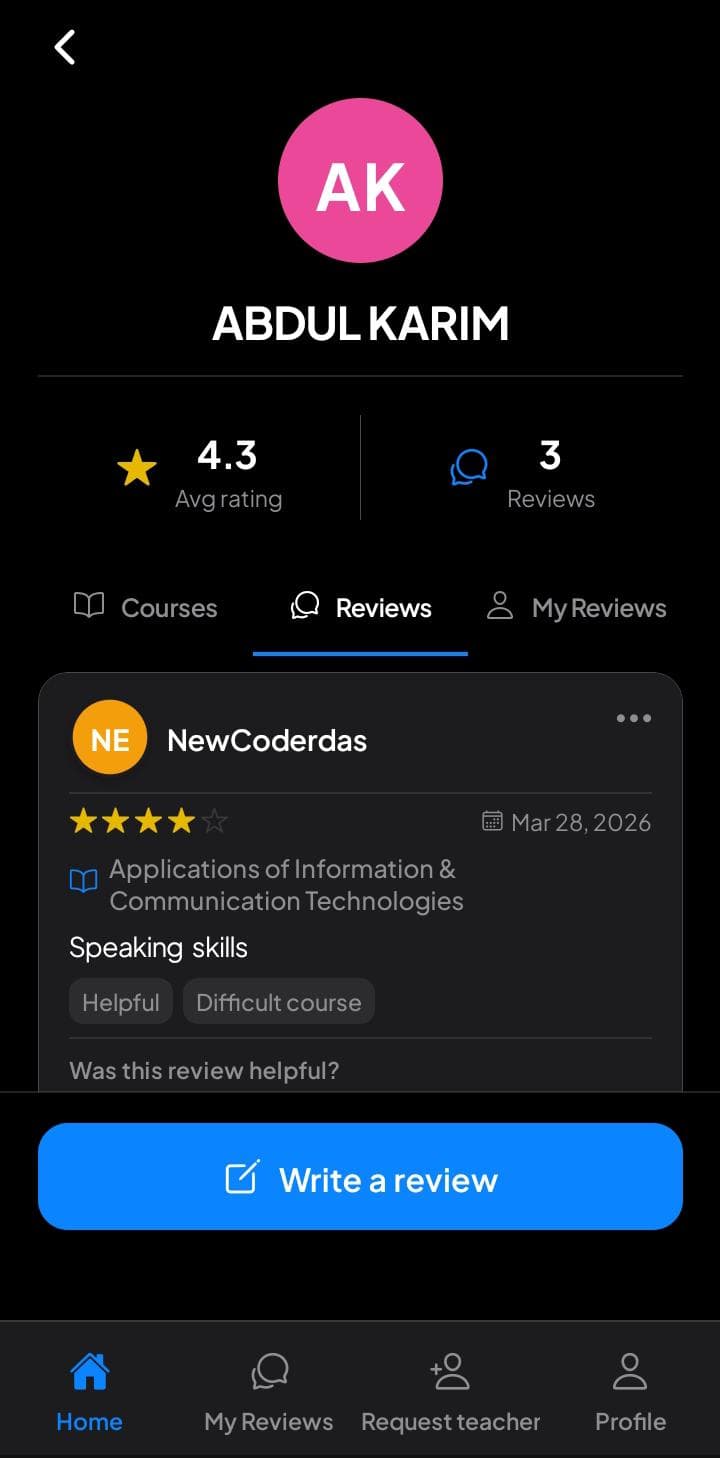
Step 2
Open a profile for averages, courses, and real reviews from your school.
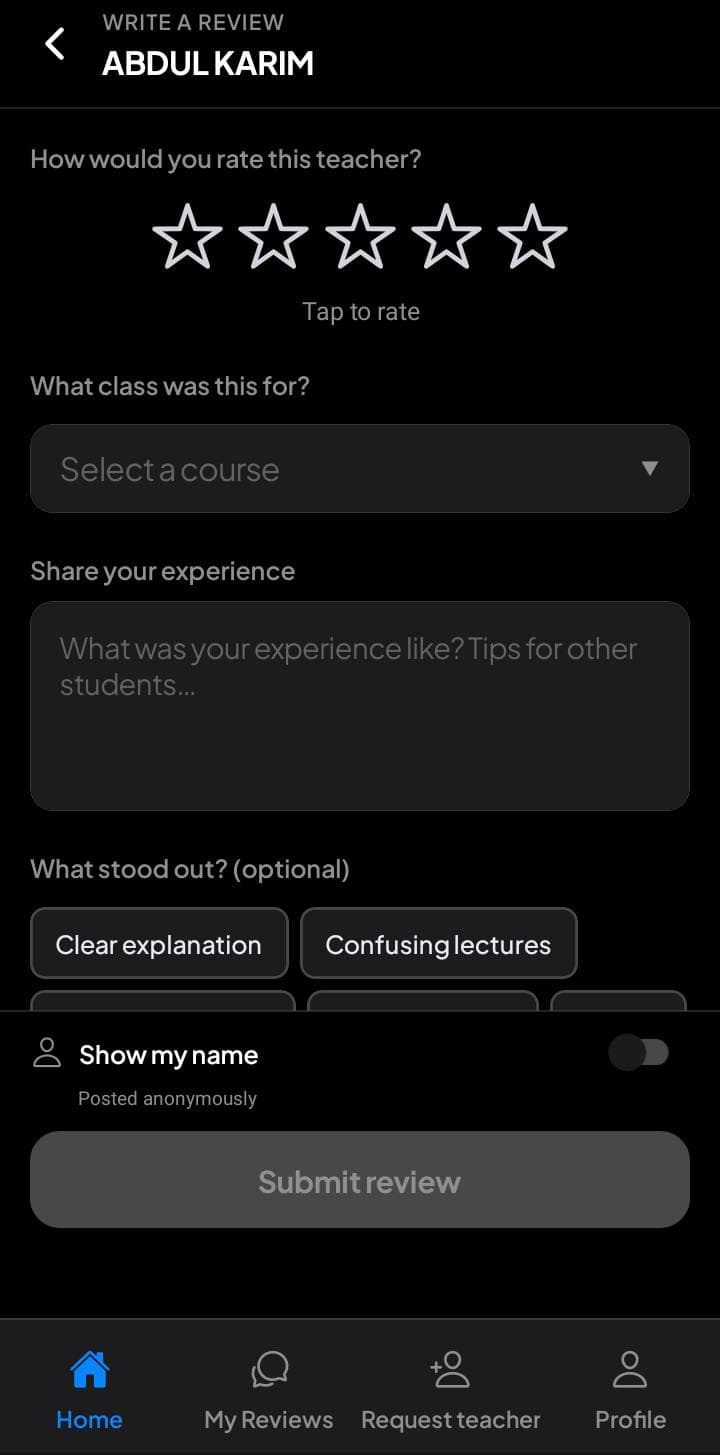
Step 3
Stars, course, tags, and optional anonymity so feedback stays honest.
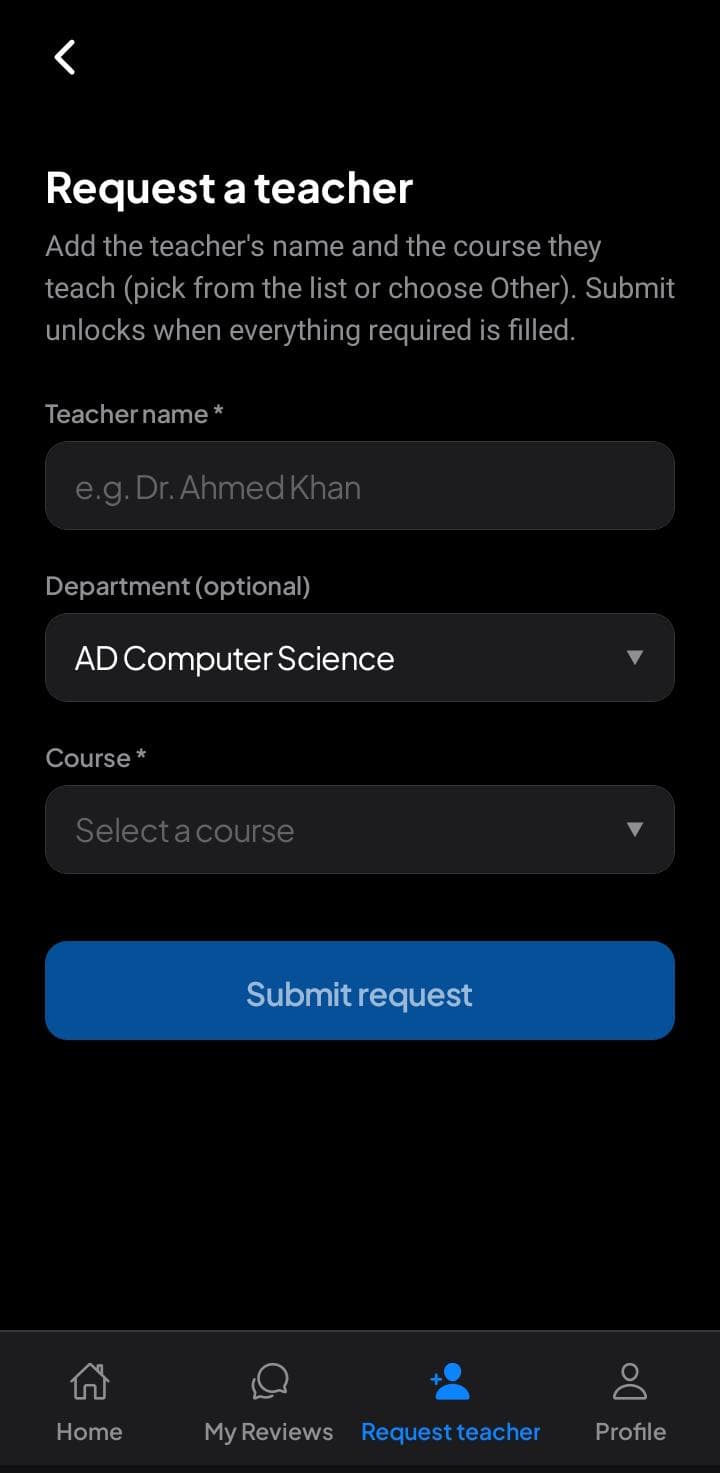
Step 4
Missing someone? Add name and course so the map stays complete.
Structured ratings turn noise into a story you can act on. Stay anonymous when it matters.

The problem we solve
When teaching quality hides behind rumors, you pay in time, money, and stress. Kampus Connect exists to give every student the same playbook: verified access, organized feedback, and a voice that still feels safe when you need it quiet.
Your three-step plan
Three moves. No maze. Each step moves you from guessing to grounded.
Verify with your university email, add the basics to your profile, and you are inside the same trusted circle as your classmates.
Search by name, filter by course, and read what people who already took the seat noticed about pace, fairness, and clarity.
Drop structured ratings, tags, and optional context so the next student wins the same clarity you were looking for.
Trust
Your story matters, and so does your safety. You can keep reviews anonymous to other students while we still handle accounts, abuse reports, and the basics a secure app needs. We built the guide to earn your trust, not to trade it for noise.
This is a summary, not legal advice. Read the full policy for retention, launch emails, and your choices.
Read the full privacy policyFAQ
Straight talk about who Kampus Connect is for, how privacy works, and what happens after you sign up for email updates.
Kampus Connect is the student app where you look up instructors at your school, read what classmates already learned in the room, and leave structured feedback yourself. You can keep reviews anonymous to other students while still helping the next person choose a better semester.
It is built for students who can verify a university email (for example an official .edu or the address your school issues). Exact rules can vary by campus when we launch.
You can post without showing your name to other students. We still handle accounts, safety, and abuse reports the way our privacy policy describes, because every healthy community needs both voice and guardrails.
Yes. If an instructor is not listed yet, add them, then leave a review. You help the map stay current for everyone who comes after you.
You share your email once. We send focused launch updates about Kampus Connect. Every email includes a way to unsubscribe, so you stay in control of your inbox.
Use reporting inside the app when it is available, or reach out through the site footer. We take reports seriously so the guide stays trustworthy for every student.
Do not miss the launch
Drop your email once. We will send clear launch updates for your university. You can leave anytime, because nobody wins when your inbox feels like a trap.
By joining, you agree to our Terms of use and Privacy policy.